Apos.Shapes
Shape rendering library for MonoGame.

Description
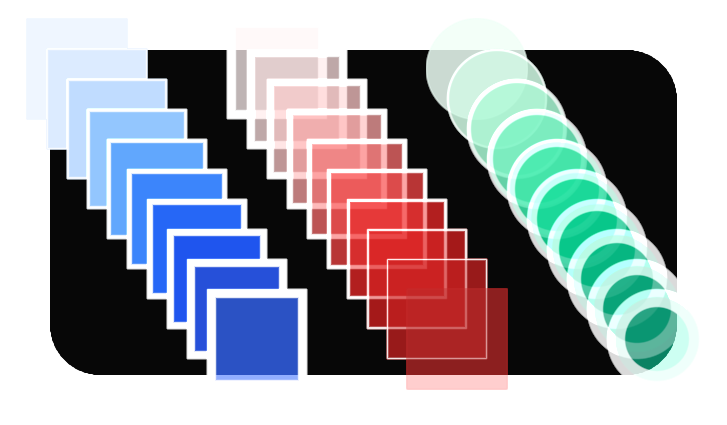
This library draws shapes using SDFs. Special thanks to Inigo Quilez for doing a lot of the work on the math functions. It can also draw text and textures.
Documentation
Build


Features
- Shapes
- Circle
- Line
- Rectangle
- Hexagon
- Equilateral Triangle
- Triangle
- Ellipse
- Arc
- Ring
- Filled + Borders
- Gradients
- Rounded
- Text (FontStashSharp API)
- Textures (SpriteBatch API)
Usage samples
Install with:
dotnet add package Apos.Shapes
Add to your Game1.cs:
using Apos.Shapes;

// ...

_graphics.GraphicsProfile = GraphicsProfile.HiDef;

// ...

ShapeBatch _sb = new ShapeBatch(GraphicsDevice, Content);

// ...

_sb.Begin();
_sb.BorderLine(new Vector2(100, 20), new Vector2(450, -15), 20, Color.White, 2f);

_sb.DrawCircle(new Vector2(120, 120), 75, new Color(96, 165, 250), new Color(191, 219, 254), 4f);
_sb.DrawCircle(new Vector2(120, 120), 30, Color.White, Color.Black, 20f);

_sb.DrawCircle(new Vector2(370, 120), 100, new Color(96, 165, 250), new Color(191, 219, 254), 4f);
_sb.DrawCircle(new Vector2(370, 120), 40, Color.White, Color.Black, 20f);

_sb.DrawCircle(new Vector2(190, 270), 10, Color.Black, Color.White, 2f);
_sb.DrawCircle(new Vector2(220, 270), 10, Color.Black, Color.White, 2f);

_sb.FillCircle(new Vector2(235, 400), 30, new Color(220, 38, 38));
_sb.FillRectangle(new Vector2(235, 370), new Vector2(135, 60), new Color(220, 38, 38));
_sb.FillCircle(new Vector2(235, 400), 20, Color.White);
_sb.FillRectangle(new Vector2(235, 380), new Vector2(125, 40), Color.White);
_sb.End();
Other projects you might like
- Apos.Gui - UI library for MonoGame.
- Apos.Input - Polling input library for MonoGame.
- Apos.History - A C# library that makes it easy to handle undo and redo.
- Apos.Content - Content builder library for MonoGame.
- Apos.Framework - Game architecture for MonoGame.
- AposGameStarter - MonoGame project starter. Common files to help create a game faster.